


Choosing Night Vision Goggles is less about chasing the highest specifications and more about matching the device to real conditions. A quiet backyard, a dim trail, and a wide, open field each place different demands on the optics. “The best device is the one that shows useful detail where you actually need it,” says night-vision specialist Dr. Roger N. Clark. Treat that as a practical buying principle, not a substitute for checking independent product tests and manufacturer specifications.
Start with image clarity, viewing range, and comfort. In a shop, compare how clearly each unit reveals a textured surface at low light, then check whether the eyecups feel steady and the controls are easy to find by touch. Look for stated operating conditions, battery life, weight, and weather resistance. Digital models may offer recording or daytime use, while traditional image intensifier systems have different strengths and limitations. Neither category wins in every setting.
Be wary of impressive range figures without clear testing conditions. A number on a box cannot tell you how much detail remains in haze, moonlight, or a shadowed tree line. Small details matter. So does fit. A heavy headset can feel fine for five minutes and tiring after an hour. My own buying bias would be to favor reliable focus and comfortable controls over extra features—but that judgment deserves testing, not blind trust. Use this outline to compare the essentials, ask sharper questions, and choose Night Vision Goggles suited to your intended, lawful use.
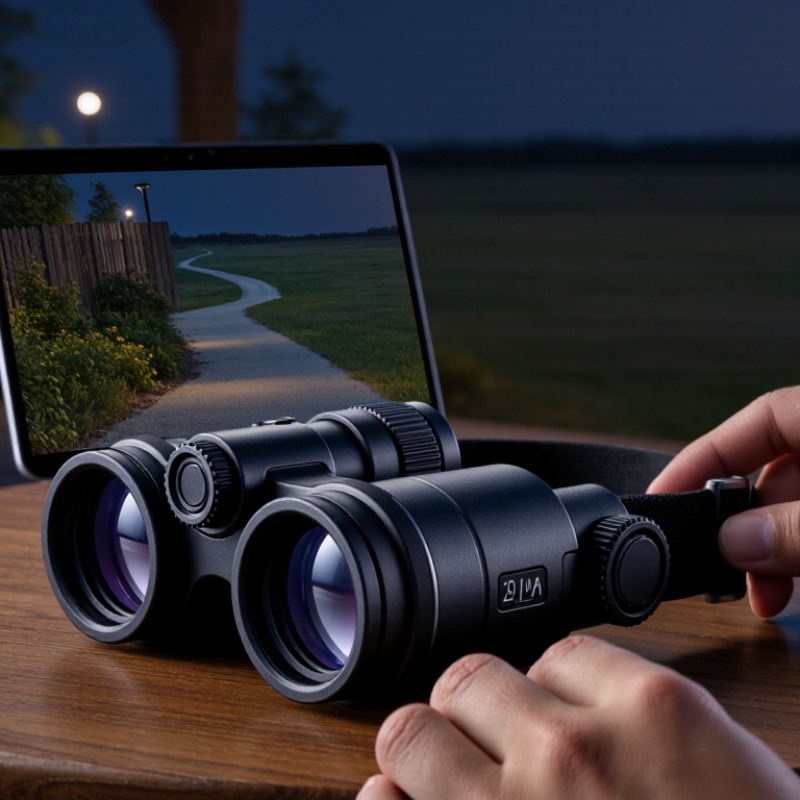
Night vision goggles do not simply make darkness disappear. Most traditional models collect faint light from the moon, stars, or nearby buildings. Inside the device, a photocathode converts incoming photons into electrons. Those electrons are amplified, then strike a phosphor screen to create a visible image. Green is common, though some systems use black-and-white displays. The familiar glow has a reason.
Digital night vision works differently. A sensor captures available light and processes it into an image on a small screen. Some devices include an infrared illuminator, which sends out light the unaided eye usually cannot see. It can brighten a nearby scene, but range and detail still depend on the sensor, lens, and conditions. Fog, rain, and dense leaves can reduce clarity. Darkness has limits.
When comparing goggles, look beyond magnification claims. Resolution, field of view, focus range, and performance in low ambient light all affect what you can actually see. A narrow view may show fine detail but make it harder to notice movement beside you. Try to assess the image at realistic distances, not just in a bright showroom. Specs can sound precise; real scenes are messier. A fence post may look sharp while a moving subject remains unclear. That distinction is easy to miss.
Start with the scene, not the device. A wooded trail, a farm perimeter, and a dark campsite create different viewing needs. For walking, prioritize a stable image, manageable weight, and a wide field of view. For watching wildlife from one spot, sharper detail at a distance may matter more. Consider how far away objects usually are, whether they move, and whether nearby lights or tree cover change the darkness. Small details count.
CIE’s technical report 191:2010 places scotopic vision below 0.005 cd/m² and mesopic vision between 0.005 and 5 cd/m². These ranges describe human visual conditions, not a guarantee of goggle performance. They still help frame your choice: assess typical ambient light, then check how the device performs under comparable conditions. Ask whether it needs an infrared illuminator, and whether that light could disturb the setting or reveal your position. Check comfort with gloves, too. I find this easy to overlook. Battery life, focus controls, and weather resistance should match the length and setting of your outings. A specification sheet cannot fully recreate a damp trail or uneven ground, so treat advertised range cautiously and test safely where permitted.
| Intended Use | Typical Viewing Conditions | Features to Prioritize | Practical Considerations |
|---|---|---|---|
| Walking or navigating outdoors | Variable darkness, changing terrain, and nearby obstacles | Approximately 1× magnification, a broad field of view, comfortable head mounting, and clear close-range focus | Higher magnification can make it harder to scan and move safely. Check whether the unit can be used hands-free and whether its weight is manageable. |
| Wildlife observation | Low ambient light in fields, woodland edges, or open countryside | Good low-light sensitivity, quiet controls, adjustable focus, and suitable magnification for the expected distance | More magnification narrows the field of view and can make locating moving animals harder. Avoid shining visible or infrared light at wildlife unnecessarily. |
| Use in very dark conditions | Little or no natural light, such as a moonless area or an enclosed space | An image-intensifier system with appropriate low-light performance, or a digital system with a built-in infrared illuminator | Image intensifiers rely on available light and may need supplemental infrared illumination in very dark conditions. An active infrared illuminator can be detected by equipment that senses infrared light. |
| Occasional use or general-purpose viewing | Mixed conditions, including dim outdoor scenes and occasional daylight use | A digital night-vision device with simple controls, a readable display, and a replaceable or rechargeable power source | Many digital devices can operate in daylight, but performance, display latency, and battery life vary by model. Confirm the manufacturer’s daylight-use guidance. |
| Longer-distance observation | Open areas where subjects are farther away | Optics matched to the viewing distance, focus adjustment, and a stable handheld or supported viewing position | There is no single dependable viewing-range figure: results depend on light, weather, target size, optics, and sensor or image-intensifier performance. Compare specifications under similar test conditions. |
| Extended outings | Several hours outdoors, potentially in cool or damp weather | Published battery-life information, accessible controls, secure mounting, and an enclosure rated for the expected conditions | Battery life can change with temperature, screen brightness, and infrared use. Check the stated water-resistance rating rather than assuming a device is waterproof. |
Before choosing: Decide where and how you will use the goggles, how much ambient light is available, and whether you need hands-free viewing. Compare field of view, focus range, weight, power requirements, and tested performance—not magnification or advertised range alone.
Image quality is more than a bright screen. Check resolution, contrast, and noise in a dim scene, not only under showroom lighting. U.S. Army image-system assessment commonly draws on Johnson’s 1958 criteria: roughly 1, 4, and 6 line-pair cycles across a target correspond to 50% detection, recognition, and identification. These are estimates, not guarantees. Fog, foliage, and a moving subject can quickly reduce useful detail. Details matter.
Magnification can make distant objects appear larger, but higher power usually narrows the field of view and makes movement harder to track. Compare devices at the same magnification and in similar light. Ask whether the quoted detection range describes noticing a person, recognizing a person, or identifying features; those are different tasks. A range figure without target size and weather conditions tells little. I would not treat any advertised distance as a promise. Walk a safe, familiar route in low light and note whether edges remain clear while you scan. One limitation is easy to overlook: a sharp image at one distance may not stay sharp across the scene.
Comfort, durability, and power needs can make or break a night-vision setup. Check how the goggles sit after adjusting the head straps, not just how they feel in your hands. A tight bridge or heavy front end may cause pressure after an hour. Look for clear eye relief and controls you can reach while wearing light gloves. Try the fit in a safe, dim setting before relying on it for longer use. A quick try-on can be misleading.
Durability matters when equipment faces dust, damp air, or repeated packing. Inspect the hinge, strap anchors, lens covers, and battery compartment. Check the maker’s stated environmental limits rather than assuming “weather resistant” means waterproof. Power requirements deserve equal attention: note the battery type, expected runtime, and whether cold conditions reduce performance. Carrying spares adds weight, though running out of power is worse. I would not choose the lightest model automatically; comfort and endurance are a trade-off worth reconsidering.
Tips: Check the fit for at least fifteen minutes. Test the buttons with gloves. Confirm battery availability before a trip, and bring compatible spares. Keep lenses capped when not in use, and follow the care instructions. Don’t skip the manual; small details matter.
Compare models against the task, not the longest feature list. For walking familiar trails, a wide field of view and true 1× magnification can feel more natural than digital zoom. U.S. Army technical documentation gives a useful benchmark: standard night-vision goggles offer about a 40-degree field of view at 1×. Treat that as a reference, not a guarantee; designs differ. Check resolution figures, too, but remember that a bright screen can still hide fine detail in a dim, uneven scene.
Weight and controls matter after an hour outdoors. Try the headset with your usual cap or helmet, and check whether the battery compartment pulls it forward. For stationary wildlife observation, a heavier unit or higher magnification may be acceptable; for moving, hands-free use, balance and a broad view usually matter more. Look at the stated runtime and test how easily you can change settings with gloves. Small details count. I still tend to overvalue resolution on paper; in real use, comfort can decide whether the device stays on. Compare specifications under the same conditions, and be cautious when a seller does not explain its testing method.
USA / Americas
1507 Capital Ave, Suite 102
Plano, TX 75074
+1 (214) 838-7010
8:00am – 5:00pm (GMT-6)
Australia / Asia Pacific
503 Cross Keys Rd,
Cavan SA 5094
+61 8 7200 3909
9:00am – 5:00pm (ACDST)
© 2025 Green Frog Systems. | Privacy Policy | Terms & Conditions


