


Choosing the right Led Poster Screen is more complex than comparing brightness, price, and screen size. A display may look impressive in a showroom, yet perform poorly beside a sunlit window. Viewing distance, foot traffic, content style, and maintenance access all shape the decision. These practical details often matter more than a specification sheet.
Alan Brawn, a recognized digital signage consultant and principal of Brawn Consulting, offers a useful reminder: “The brightest display is not always the best display; the right display fits the viewer, space, and message.” His point deserves careful attention. Excessive brightness can cause glare, waste energy, and make long viewing uncomfortable. A lower-brightness model may perform better inside a controlled retail environment. Outdoor placement demands stronger protection, stable thermal management, and dependable weather resistance.
This guide examines the factors that influence a reliable Led Poster Screen purchase. It considers pixel pitch, cabinet mobility, refresh rate, color accuracy, operating hours, and service support. It also looks at real installation concerns, such as cable routing and replacement access. Small mistakes become expensive when several screens operate across different locations. That is easy to underestimate.
There is no perfect screen for every venue. A premium model can still be the wrong choice. Buyers should question marketing claims, request test footage, and inspect products under realistic lighting. Energy consumption and after-sales support deserve equal attention. These points may seem ordinary, but they often determine long-term value. The best decision balances visual impact, operational reliability, budget discipline, and the audience’s actual experience.
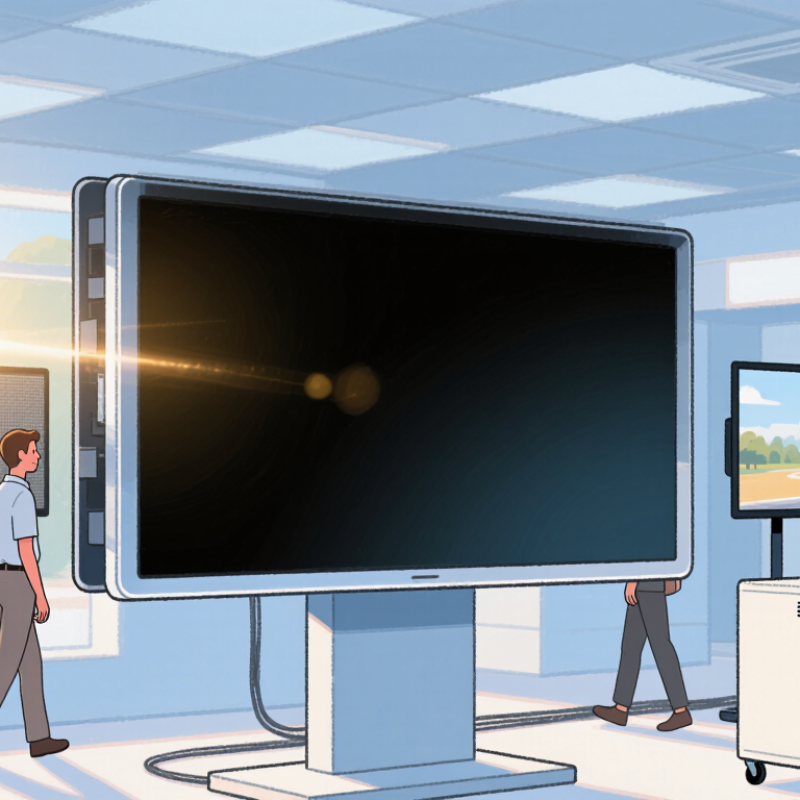
Start by defining the screen’s real job. A retail window needs strong brightness and clear product details. An indoor information point may need softer light and wider viewing angles. For trade shows, fast installation and easy transport can matter more than maximum resolution.
Write down the content type, daily operating hours, ambient light, and expected audience distance. This simple record prevents attractive specifications from controlling the decision.
P1.5 creates finer images for close viewing, often within two or three meters. It suits premium product displays, reception areas, and detailed promotional videos. P2 or P2.5 can balance sharpness and budget in stores and exhibition spaces.
P3 and P4 work better when viewers stand farther away, usually beyond four meters. A larger pitch may look slightly coarse up close. That is easy to underestimate.
I once focused too heavily on resolution and overlooked reflections from a glass entrance. The screen looked excellent in testing, then lost contrast at noon. Test the actual location at different times.
Check brightness control, viewing angles, refresh rate, cabinet weight, and service access. Ask for measured data, not only marketing claims.
Pixel pitch is important, but it cannot repair poor placement, weak content, or uneven calibration. A practical trial remains more reliable than a showroom impression.
How to Choose the Best LED Poster Screen?
Brightness directly affects readability, comfort, and energy use. For most indoor venues, choose 800–1,500 nits. This range suits retail aisles, reception areas, and exhibition halls. A screen near a sunny window may need more brightness. Check the display at noon, not only in a dim showroom. A practical test uses real content, including small text and skin tones. If letters look washed out, brightness alone may not solve the problem. Contrast and viewing angle also matter.
Outdoor screens usually require 5,000+ nits. Direct sunlight can make a weaker display look dull within seconds. Measure the installation direction and observe shadows across the mounting area. Automatic brightness control can reduce glare after sunset. It can also respond too slowly during changing weather. That weakness is easy to overlook. Ask for brightness measurements based on reliable testing standards, rather than vague “high-brightness” claims. Confirm heat management, weather protection, and stable color performance during long operation.
Tips: Compare screens at the actual viewing distance. Test white backgrounds, dark images, and moving content. Leave brightness below maximum when conditions allow. This may extend component life and reduce power consumption. Review the screen after installation, because nearby glass, lighting, and reflections can change the result. A small calibration mistake can become obvious on a large poster.
Use the following practical specifications to compare LED poster screens for indoor and outdoor applications.
| Selection Criterion | Indoor LED Poster Screen | Outdoor LED Poster Screen | Why It Matters |
|---|---|---|---|
| Recommended Brightness | 800–1,500 nits | 5,000+ nits | Indoor screens need comfortable brightness under controlled lighting, while outdoor screens must remain readable in direct sunlight. |
| Ambient Light | Shopping malls, retail stores, lobbies, exhibitions, and indoor events | Streets, building exteriors, transit areas, plazas, and outdoor events | The surrounding light level determines the brightness and contrast needed for clear content. |
| Typical Pixel Pitch | Approximately 1.5–3.9 mm | Approximately 3–6 mm | Smaller pixel pitch provides finer detail at close viewing distances; larger pitch is often suitable for longer outdoor viewing distances. |
| Recommended Viewing Distance | About 2–10 m, depending on pixel pitch and content detail | About 5–30 m, depending on pixel pitch, screen size, and installation height | Choose the pixel pitch according to the nearest and most common audience viewing distance. |
| Refresh Rate | At least 1,920 Hz; 3,840 Hz is preferable for camera-friendly content | At least 1,920 Hz; 3,840 Hz or higher is preferable for live events and video recording | A higher refresh rate helps reduce visible flicker and scanning lines in camera footage. |
| Contrast Ratio | Typically around 3,000:1 or higher | Typically around 4,000:1 or higher | Higher contrast improves black levels, image depth, and readability in changing light conditions. |
| Weather Protection | Usually IP20 or an enclosure rated for protected indoor use | Typically IP65 on the front; rear protection depends on the enclosure design | Outdoor installations require protection against rain, dust, and other environmental exposure. Confirm the complete enclosure rating. |
| Operating Temperature | Commonly about 0°C to 40°C, depending on the system design | Often about −20°C to 50°C, depending on the product and cooling system | The screen should be rated for the local climate, including both seasonal heat and cold. |
| Average Power Consumption | Approximately 200–500 W/m² during typical operation | Approximately 300–800 W/m² during typical operation | Actual consumption varies with brightness, content, pixel pitch, cabinet design, and power-saving features. |
| Maximum Power Planning | Plan for approximately 500–800 W/m² unless the technical datasheet states otherwise | Plan for approximately 800–1,200 W/m² unless the technical datasheet states otherwise | Electrical circuits and protective devices should be sized according to the manufacturer’s maximum rated power. |
| Content Type | Menus, product promotions, text, graphics, portraits, and detailed video | Large text, high-contrast graphics, advertisements, announcements, and motion video | Outdoor content should use larger fonts and stronger contrast because viewers are generally farther away. |
| Automatic Brightness Control | Useful for adapting to store lighting and reducing glare | Highly recommended, using an ambient-light sensor or scheduled brightness control | Automatic adjustment can improve viewing comfort, reduce energy use, and extend LED component life. |
| Installation Requirements | Check floor stability, ventilation, access clearance, and indoor electrical capacity | Check wind load, anchoring, drainage, grounding, lightning protection, and service access | A suitable display can still fail if the mounting structure, ventilation, or electrical system is inadequate. |
| Serviceability | Front or rear service depending on the available installation space | Front service is helpful where rear access is restricted; sealed components may simplify outdoor maintenance | Easy access to modules, power supplies, and receiving cards reduces downtime and maintenance costs. |
| Best Overall Choice | Choose a screen with 800–1,500 nits, fine pixel pitch, controlled contrast, and low-glare operation | Choose a screen with 5,000+ nits, weather-resistant construction, automatic brightness control, and strong structural support | The best specification is the one that matches the environment, viewing distance, content, local weather, and installation conditions. |
Note: Brightness, power consumption, viewing distance, weather protection, and operating temperature vary by screen design. Always verify the final technical datasheet and installation requirements before purchase.
Refresh rate matters when an LED poster appears in photos or video. A 1,920 Hz screen may look stable to the eye, yet show faint bands on camera. A 3,840 Hz screen usually performs better under common shutter speeds. However, refresh rate is not the only factor. The receiving card, driving method, brightness level, and camera settings also affect image quality. I have seen displays pass a showroom test but show rolling lines during indoor filming.
For dependable results, test the screen with the cameras your team actually uses. Try shutter speeds from 1/50 to 1/500 second. Record white, red, and dark content at several brightness levels. Look for flicker, scan lines, color shifts, or uneven brightness. A camera test remains essential. Still, refresh rate alone can mislead. Poor signal processing may reduce the benefit of 3,840 Hz.
Tips Choose 3,840 Hz when regular filming, livestreaming, or event photography is expected. Ask for measured specifications, not only marketing claims. Test content with fine text, moving graphics, and large white areas. Keep brightness controlled, because maximum output can expose problems. If budget limits the choice, select a well-tested 1,920 Hz model rather than an unverified high-rate option. That decision may feel less impressive, but it can be more reliable.
When choosing the best LED poster screen, start with durability rather than brightness. An IP65 rating means complete protection from dust and resistance to water jets, according to IEC 60529. It does not mean the screen can survive flooding or immersion. Check the cabinet seals, cable glands, and rear ventilation points. Weak joints can still admit moisture.
The claimed 100,000-hour LED lifespan also needs careful interpretation. The U.S. Department of Energy’s Solid-State Lighting research guidance places LED lifetime projections around 50,000 to 100,000 hours, depending on temperature, current, and operating conditions. IES LM-80 and TM-21 methods help estimate lumen maintenance from measured LED data. Ask for these test records, not only a sales specification. A screen running twelve hours daily could theoretically operate for over 22 years. Real conditions are less kind.
Heat is the quiet risk. In direct sunlight, poor airflow can accelerate lumen loss and damage power components. Look for temperature monitoring, replaceable modules, and documented burn-in testing. From field experience, these details matter more than a perfect headline number. Sometimes, the rating is technically correct but practically incomplete. Choose protection that matches the installation site, cleaning routine, and local weather exposure.
Check Durability: IP65 Protection and a 100,000-Hour LED Lifespan
Power is the first cost many buyers underestimate. Record both maximum and typical wattage, because brightness changes throughout the day. Use this formula: watts × operating hours × electricity rate ÷ 1,000. The U.S. Energy Information Administration reported commercial electricity prices near 13–14 cents per kilowatt-hour in 2024. A 600-watt screen running 12 hours daily can use about 2,628 kWh yearly. That equals roughly 350 dollars before installation and cooling. The U.S. Department of Energy’s 2023 SSL R&D report discusses LED efficacy above 150 lumens per watt, but display systems perform differently. Controllers, ventilation, and high brightness reduce real efficiency. My first estimate was wrong because I ignored standby consumption.
Tips: Request measured average power, not only peak power. Compare three electricity scenarios. Add installation, transport, structure, content hardware, and replacement modules to the total cost. A low purchase price can become expensive after five years. Build a simple five-year spreadsheet before choosing.
Warranty terms deserve careful reading. Ask about coverage for power supplies, control cards, brightness uniformity, dead pixels, and weather sealing. Response time matters more than attractive wording.
Maintenance also needs a physical plan. Front-access modules reduce service time in crowded locations. Keep spare modules from the same production batch, when possible. Remote monitoring can identify temperature or power faults early. AVIXA’s 2024 industry outlook shows continued investment in professional AV systems, yet budgets still vary widely. Therefore, calculate labor locally. Maintenance assumptions are often too optimistic. Recheck them with a technician’s hourly rate and one difficult nighttime repair.
USA / Americas
1507 Capital Ave, Suite 102
Plano, TX 75074
+1 (214) 838-7010
8:00am – 5:00pm (GMT-6)
Australia / Asia Pacific
503 Cross Keys Rd,
Cavan SA 5094
+61 8 7200 3909
9:00am – 5:00pm (ACDST)
© 2025 Green Frog Systems. | Privacy Policy | Terms & Conditions


